
On this page
Quick answer: open your IPTV app (IPTV Smarters Pro, TiviMate, XCIPTV…), choose Login with Xtream Codes API, and enter the username, password and server URL from your TrendyScreen activation message. MAG and Formuler boxes use a portal URL instead.
Where to find your TrendyScreen login details
After you order (or ask for a free trial), we send your activation message by WhatsApp or email. Depending on your device, it contains one or more of these:
| Detail | What it looks like | Used by |
|---|---|---|
| Username + password | Two short codes, letters and numbers | Every Xtream Codes app |
| Server URL | http://server-name.com:8080 | IPTV Smarters, TiviMate, XCIPTV, IPTVX… |
| M3U link | A long address ending in type=m3u_plus | VLC, IBO Player, HOT IPTV, playlist apps |
| Portal URL | http://server-name.com:8080/c/ | MAG boxes, Formuler (MyTVOnline), STB Emulator |
Copy the details exactly as written. One wrong letter, a missing http:// or a missing port number (the :8080 part) is enough to stop the login.
How to log in on IPTV Smarters Pro
Open IPTV Smarters Pro
On first launch, accept the terms and choose your layout. Then tap Add user if a list of users is shown.
Choose “Login with Xtream Codes API”
This is the recommended method: it loads live TV, movies, series and the TV guide in one go.
Fill in the four boxes
- Any name: anything you like, for example “TrendyScreen”.
- Username and Password: from your activation message.
- URL: the server URL, starting with
http://and ending with the port.
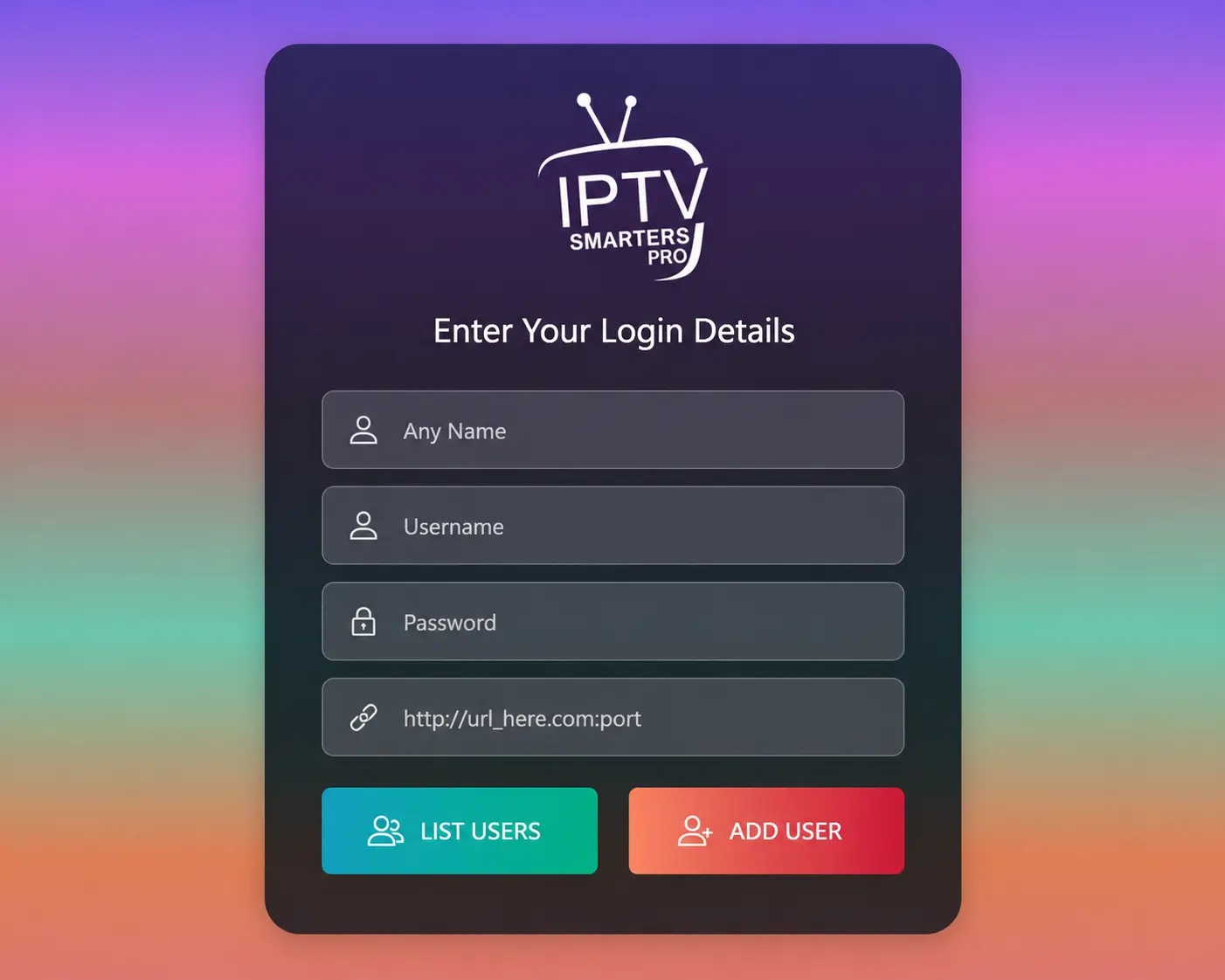
Tap “Add user”
Your channels, movies and series download. The first load can take a minute on large channel lists.
How to log in on TiviMate
- Open TiviMate and select Add playlist.
- Choose Xtream Codes.
- Enter the server address, username and password, then select Next.
- Wait while TiviMate reads the channel list, give the playlist a name and select Done.
TiviMate’s free version shows live TV; movies and series need TiviMate Premium. More on this in the IPTV apps comparison.
Logging in with an M3U link
Some players — VLC, IBO Player, HOT IPTV and other playlist apps — ask for an M3U URL instead of a username and password. Paste the full M3U link from your activation message into the playlist field. On apps that use a MAC address (IBO Player, HOT IPTV), you add the link on the app’s website instead; the Smart TV guide shows how.
Logging in on a MAG or Formuler box
MAG boxes do not use a username and password. We link your subscription to the box’s MAC address, and you add our portal URL in the box settings. Follow the MAG box guide or the Formuler guide.
Billing account on trendyscreen.com
If you ordered through our other official website, trendyscreen.com, your orders and invoices are in its client area. That account is only for billing — you still watch by logging in to your IPTV app as shown above.
Login not working?
Check these in order before anything else:
- Retype the username and password — they are case-sensitive.
- Check the server URL: it must start with
http://and include the port. - Turn off any VPN and try again.
- Make sure your plan or trial has not ended.
- Restart the app and the device.
Still stuck? See how to fix “Failed to Authorize” or message us on WhatsApp.
Keep your login safe
- Only order and log in through our official websites: trendyscren.com and trendyscreen.com.
- Do not share your login — it works on one screen at a time, and sharing can get the line suspended.
- Our team never asks for your password or card details in a chat message.
Login questions
Is there a TrendyScreen website where I log in to watch?
No. You watch inside an IPTV app on your device, and that is where you log in — with the username, password and server URL (or M3U link / portal) from your activation message.
I lost my login details. What do I do?
Search your email and WhatsApp for your activation message first. If you cannot find it, message us on WhatsApp from the number you ordered with, or email contact@trendyscren.com with your order details, and we will resend them.
Can I use the same login on two devices?
You can add the same login to all your devices, but only one of them can stream at a time. Watching on two screens at once needs a second subscription.
Why does my app say "Failed to Authorize" or "Invalid login"?
Usually a typo in the username, password or server URL, a missing http:// or port number, an expired plan, or a VPN. Our Failed to Authorize guide goes through every cause in order.
Will TrendyScreen ever ask for my password?
No. Our team never needs your IPTV password or your payment card details in a chat. Only use our official websites: trendyscren.com and trendyscreen.com.