
On this page
Quick answer: send us the MAC address printed under your MAG box. We link your TrendyScreen subscription to it and send you a portal URL. On the box, open Settings > System settings > Servers > Portals, enter the portal URL as Portal 1, save and restart the portal.
What is a portal URL?
Most IPTV apps log in with a username and password (Xtream Codes). MAG boxes work differently: they connect to a portal — an address on the provider’s server — and identify themselves by their MAC address, a unique code built into every box. That is why the first step is always to send us the MAC.
What you need
- A MAG box connected to your TV and to the internet (Ethernet recommended).
- The box’s MAC address.
- The TrendyScreen portal URL we send you.
How to set up IPTV on a MAG box
Find your MAG box’s MAC address
It is printed on the sticker under the box and always starts with
00:1A:79. You can also see it on the TV in Settings > Device info (or on the box’s start-up screen).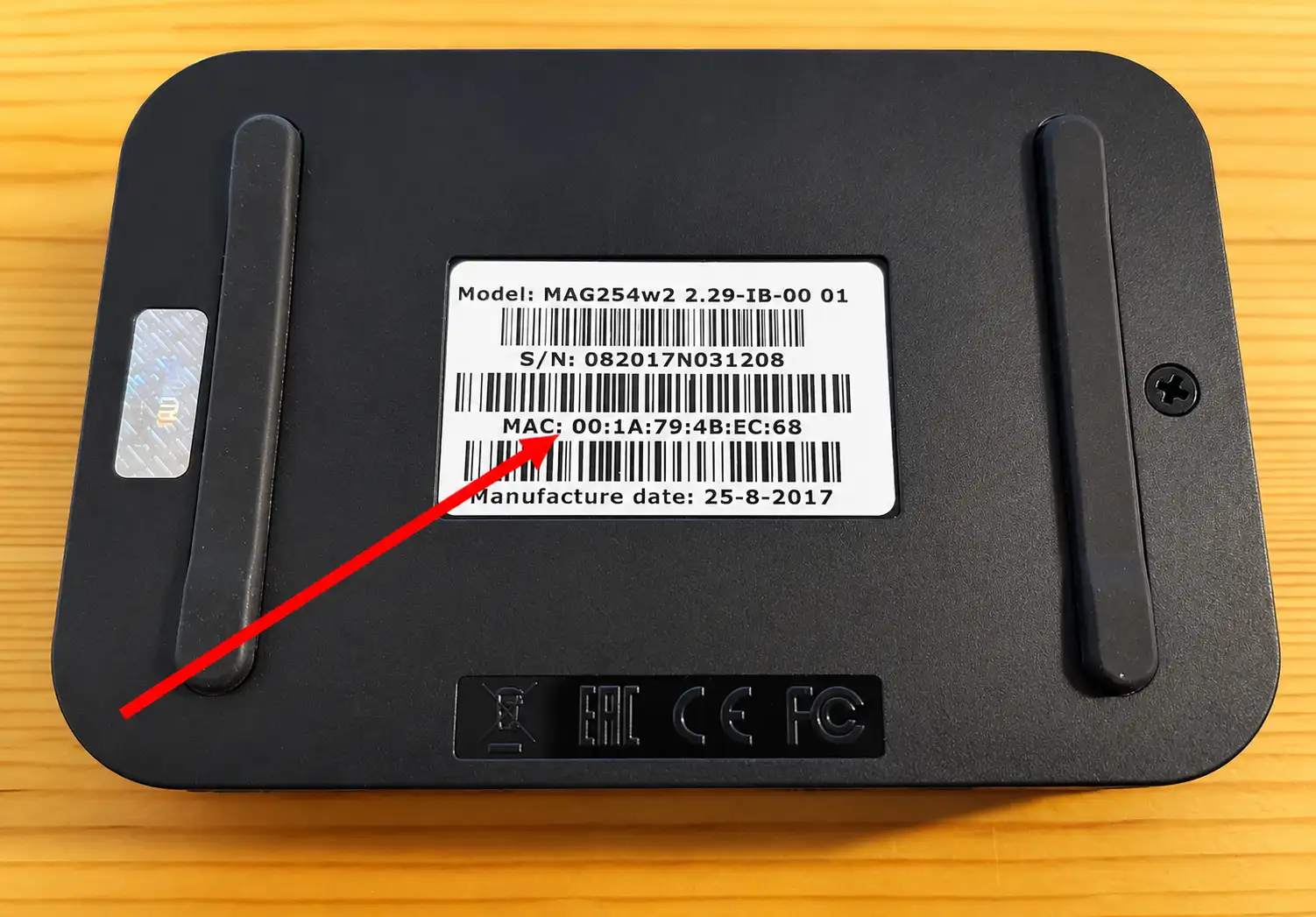
Send the MAC address to TrendyScreen
Message us on WhatsApp with the MAC address and your order (or trial request). We link your subscription to the box and send you the portal URL.
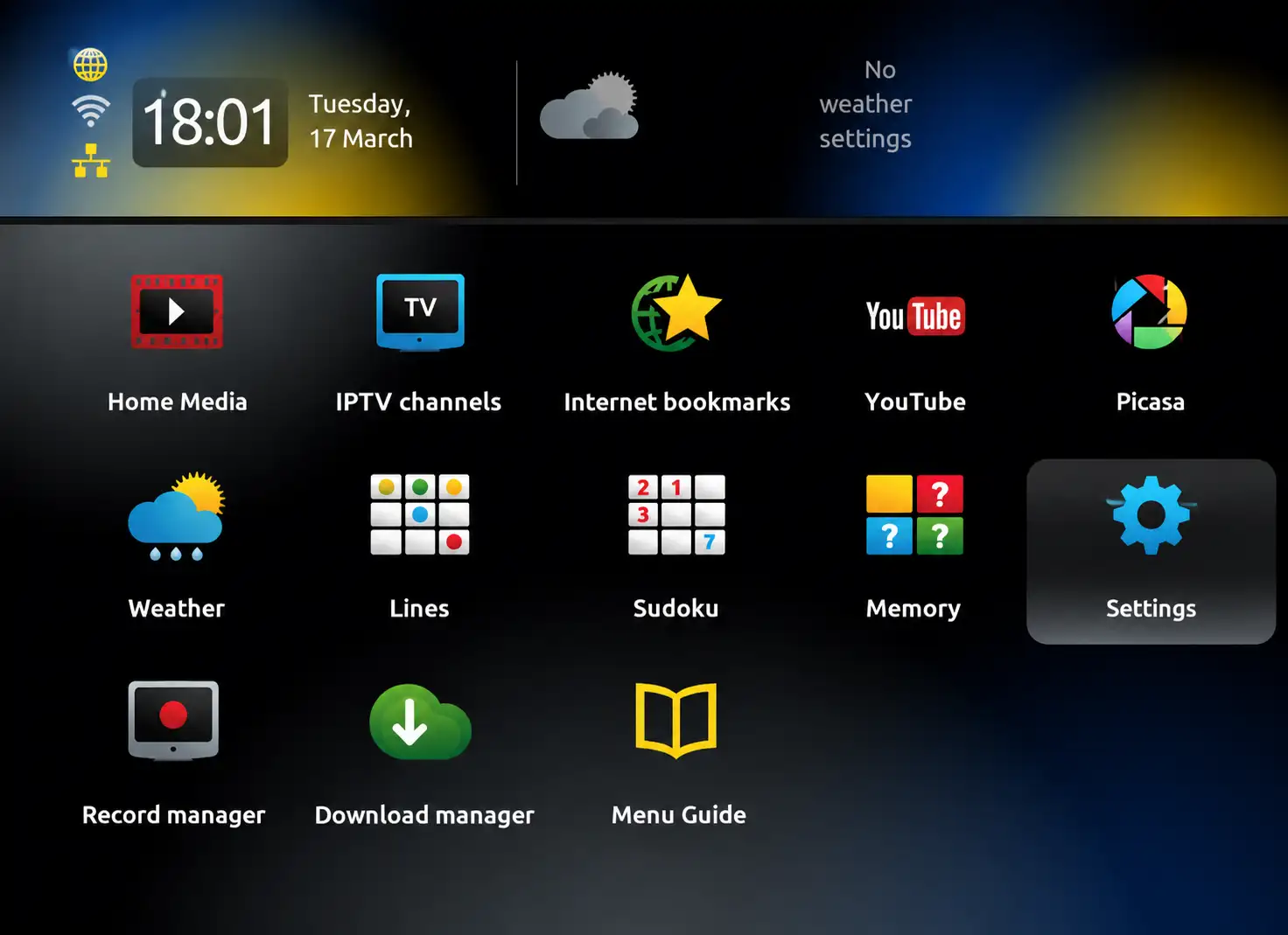
Open Settings on the MAG box
On the MAG home screen, select Settings, then System settings. (On older firmware, press the SETUP/SET button on the remote.)
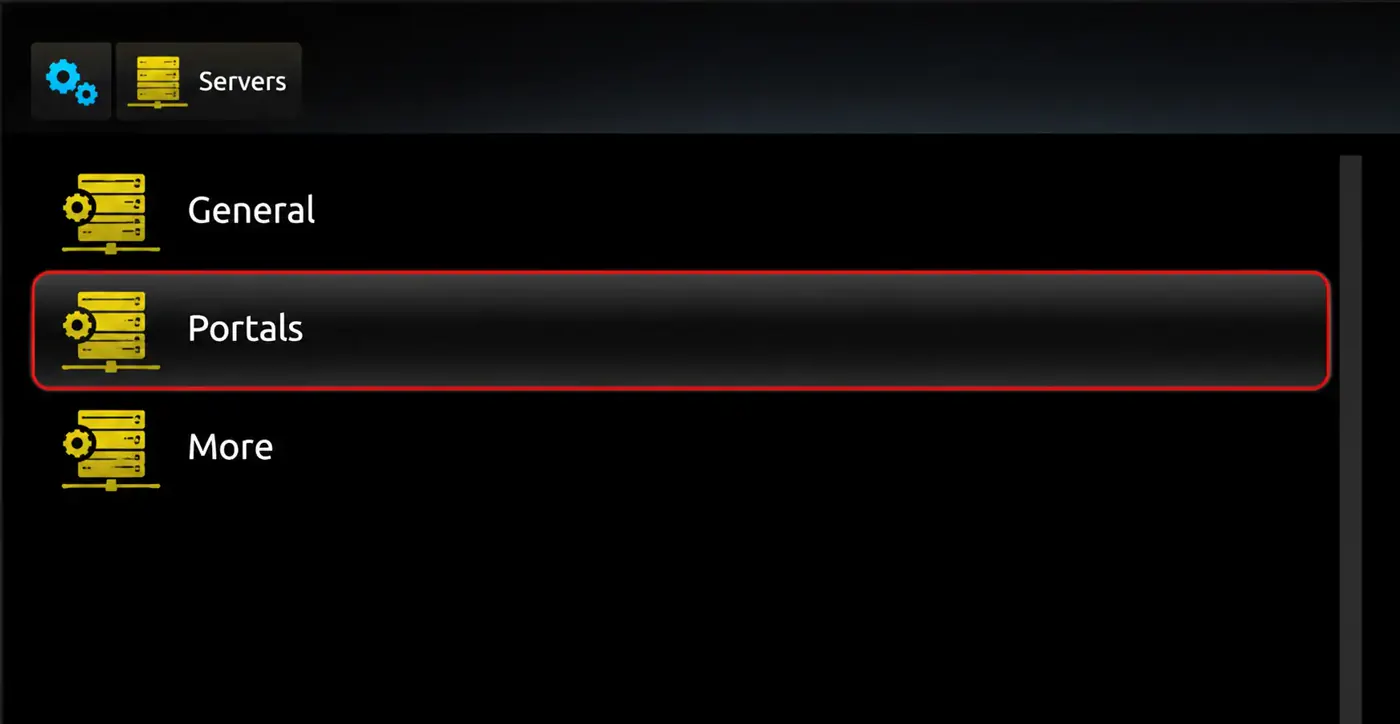
Go to Servers > Portals
Select Servers, then Portals.
Enter the portal
- Portal 1 name: TrendyScreen
- Portal 1 URL: the portal URL we sent you, exactly as written (it usually ends in
/c/)
Leave Portal 2 empty and select OK to save.
Restart the portal
Go back to the settings menu and choose Restart portal (or unplug the box for 10 seconds). The TrendyScreen portal loads with your channels, TV guide and VOD.
Most common mistake
Type the portal URL exactly as we sent it — capital letters, the port number (for example :8080) and the final /c/ all matter.
Using the TrendyScreen portal
- TV: live channels grouped by country and category. Press Menu for the TV guide.
- Video Club: movies and series on demand.
- Favourites: in the channel list, press the favourite button on the remote to keep your channels at the top.
Tips for MAG boxes
- Use an Ethernet cable — MAG boxes are built for wired connections, and many have no Wi-Fi at all.
- Keep the firmware up to date in Settings > Software update.
- If the picture freezes during busy hours, restart the portal before anything else.
Troubleshooting
- “STB blocked” / “Access denied”: the MAC is not linked yet or has a typo — send it again.
- Stuck on “Loading portal”: check the portal URL and the network settings.
- Channels buffer: see how to fix IPTV buffering.
- Nothing works: go through the IPTV not working checklist or message us.
MAG box questions
What is a portal URL in IPTV?
A portal URL is the address of the IPTV provider’s Stalker middleware — the server a MAG box (or Formuler, or STB Emulator) connects to. The box identifies itself by its MAC address, so there is no username or password to type.
Which MAG boxes work with TrendyScreen?
All current MAG boxes, including MAG 322, 324, 349, 351, 424 and 524, as well as older models like the MAG 254 and 256 as long as they can load a portal.
The box says “Your STB is blocked” or “Access denied”.
The MAC address is not linked yet, or it was sent with a typo. Check the MAC on the sticker and send it to us again on WhatsApp — a MAC contains only the digits 0–9 and letters A–F.
It is stuck on “Loading portal…”.
Check the portal URL character by character, including http://, the port and the final /c/. Then check the box’s internet in Settings > Network and restart the portal.
Can I use my MAG subscription on another device?
A MAG line is tied to that box’s MAC address. If you change the box, send us the new MAC. For phones and other devices, ask us for an Xtream Codes login instead.