
On this page

Quick answer: on a Formuler Z11 Pro Max, install TiviMate or IPTV Smarters Pro from Google Play, choose the Xtream Codes login and enter your TrendyScreen username, password and server URL. Prefer the built-in app? Send us the box’s MAC address and add our portal in MyTVOnline.
Why Formuler boxes work so well for IPTV
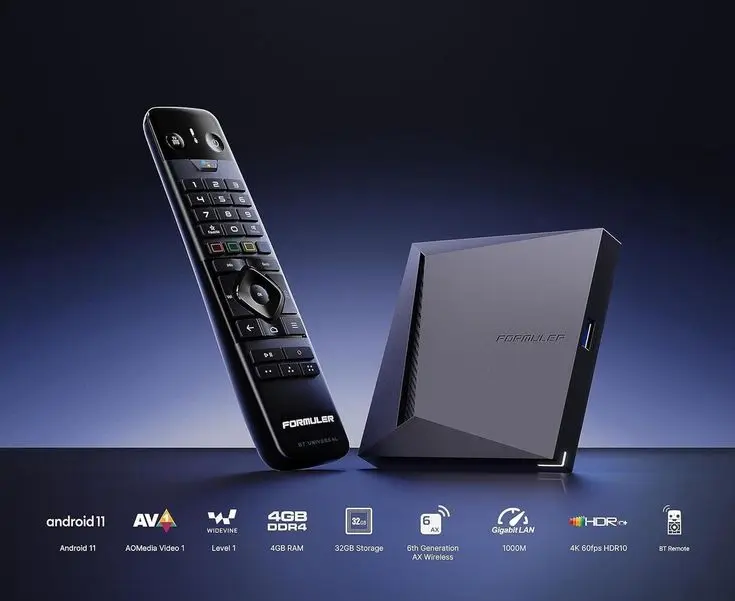
- Android TV with the full Google Play Store, so every major IPTV app is available.
- A dedicated IPTV app, MyTVOnline, with a TV-style guide and MAC-based portal support.
- Fast hardware for smooth 4K playback, dual-band Wi-Fi and Gigabit Ethernet.
- A remote with dedicated IPTV buttons (guide, favourites, recall).
Option 1: IPTV Smarters Pro or TiviMate (recommended)
This is the simplest method and works exactly like on any Android TV device. It also lets you use the same login on your phone or another TV.
Open the Google Play Store
From the Formuler home screen, open Google Play and sign in with a Google account if asked.
Install IPTV Smarters Pro or TiviMate
Search for IPTV Smarters Pro, TiviMate or XCIPTV and install it. If Smarters is not listed, use the Downloader method with code 78522.
Choose the Xtream Codes login
In Smarters: Login with Xtream Codes API. In TiviMate: Add playlist > Xtream Codes.
Enter your TrendyScreen details
Username, password and server URL (with
http://and the port). Confirm, and your channels, movies and series load.
Option 2: MyTVOnline with a portal
MyTVOnline is Formuler’s own IPTV app. It connects to a portal linked to your box’s MAC address, like a MAG box.
- Open MyTVOnline and note the MAC address shown on the portal screen.
- Send the MAC to TrendyScreen on WhatsApp. We link your subscription and send you the portal URL.
- In MyTVOnline, add a new portal (or connection): enter a name such as “TrendyScreen” and the portal URL.
- Save and open the portal. Your channels, guide and VOD load.
For TrendyScreen we recommend Option 1: an Xtream Codes login works in more apps, can be used on your other devices, and is the easiest for our team to support.
Troubleshooting
Channels not loading
- Check the internet connection and restart your router.
- Make sure your TrendyScreen plan is active.
- Restart the app, or the Formuler box itself.
Login or authorization errors
- Double-check the username, password and server URL.
- Turn off any VPN and try again.
- For a portal: check the MAC address you sent us. See also Failed to Authorize fixes.
Formuler questions
What is the best app for IPTV on a Formuler box?
For most people, TiviMate or IPTV Smarters Pro with an Xtream Codes login — they give you live TV, VOD and a full TV guide. MyTVOnline is a good choice if you prefer a portal linked to the box’s MAC address.
Is the Formuler Z11 Pro Max good for IPTV?
Yes. It is built for IPTV: Android TV with Google Play, a fast processor, 4K HDR output, dual-band Wi-Fi and Gigabit Ethernet. It handles large channel lists and 4K streams comfortably.
Where do I find the MAC address on a Formuler?
In MyTVOnline it is shown on the portal setup screen, and it is also printed on the label under the box. Send it to us if you want a portal (MAC-based) setup.
Can I use the same subscription on my phone?
With an Xtream Codes login, yes — add it to your phone too and watch on one device at a time. A MAC-based portal line only works on the Formuler box it is linked to.