
On this page
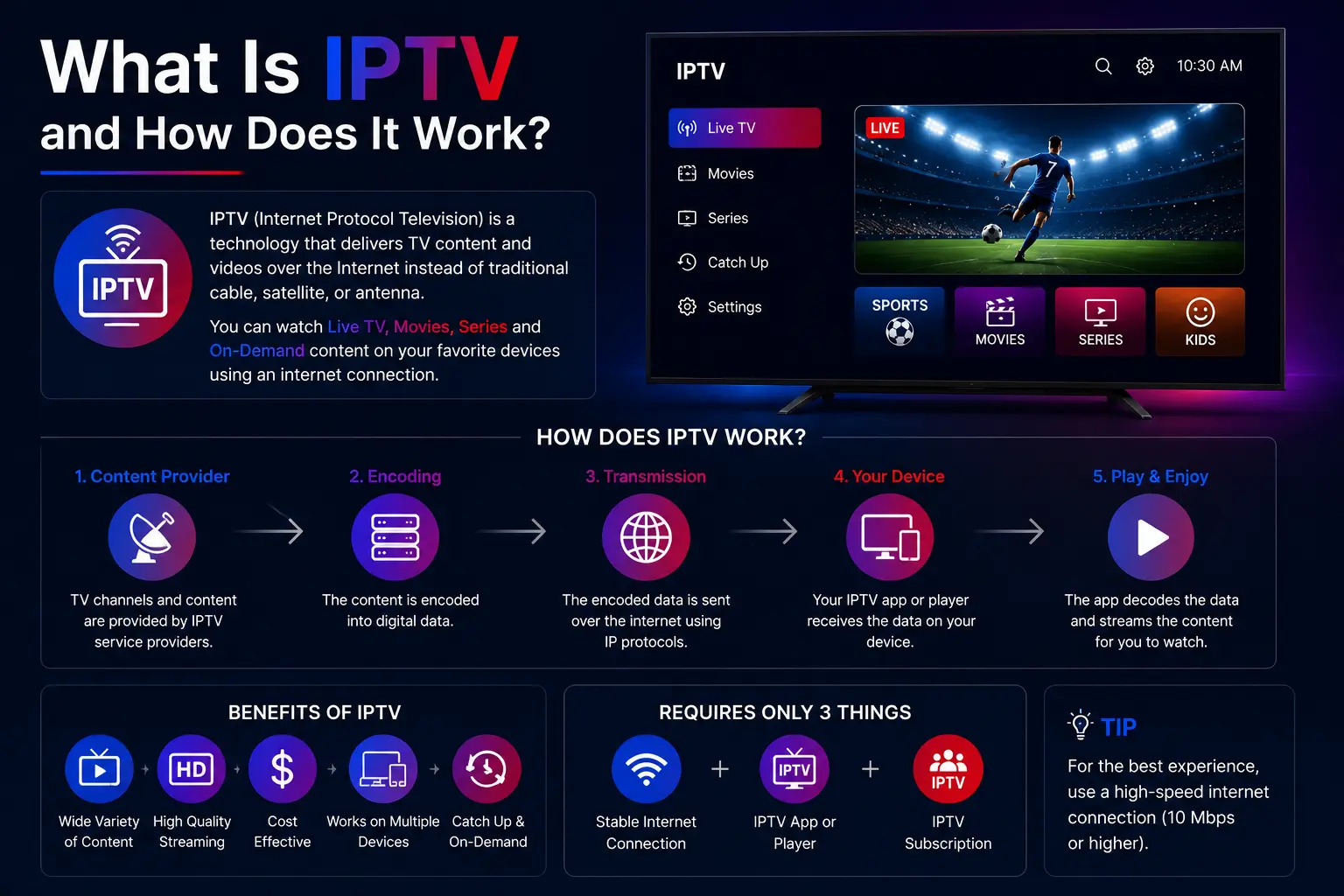
IPTV (Internet Protocol Television) is television delivered over the internet instead of through cable, satellite or an antenna. Channels, films and series are streamed from servers to an app on your TV, box, phone or computer, so all you need is an internet connection, a compatible device and an IPTV subscription.
What does IPTV stand for?
IPTV stands for Internet Protocol Television: TV sent as data over the same network as websites and video calls. Instead of a cable box or dish, an app on your device receives the stream and plays it.
How does IPTV work?
- Content sits on servers. Live channels, films and series are prepared and stored on streaming servers.
- You choose something. When you pick a channel in your app, your device asks the server for it.
- The server streams it. The video is sent to your device over the internet, in small pieces.
- Your app plays it. The IPTV player decodes the stream and shows it on your screen in real time.
Because it is internet traffic, picture quality depends on the speed reaching your device: about 20 Mbps for HD and 50 Mbps for 4K.
The three kinds of IPTV content
- Live TV — channels in real time: news, sport, entertainment, kids, international.
- Video on demand (VOD) — films and series you start whenever you like.
- Catch-up / time-shifted TV — programmes that already aired, on channels that support replay.
IPTV vs cable and satellite
| IPTV | Cable / satellite | |
|---|---|---|
| Delivered by | Your internet connection | Cable line or dish |
| Installation | None — install an app | Technician, box, dish |
| Screens | TV, phone, tablet, computer | Mostly the TV with the box |
| On-demand | Films, series, catch-up included | Limited, often extra |
| Typical cost | From about $10–15 a month | Often $80–150+ a month |
See how much IPTV costs for a detailed price comparison.
What devices can play IPTV?
Almost anything with an internet connection: Samsung and LG Smart TVs, Firestick and Fire TV, Android TV and boxes, iPhone and iPad, Apple TV, Windows and Mac, MAG and Formuler boxes, Enigma2 receivers and Chromecast with Google TV. Every device has a step-by-step setup guide.
What you need to start
- A fast, stable internet connection — 20 Mbps for HD, 50 Mbps for 4K.
- A compatible device — the TV or box you already have usually works.
- An IPTV subscription — the login details you add to the app. Try one with a free trial.
M3U playlists and Xtream Codes
An M3U playlist is a link containing the list of every channel in your subscription; paste it into a player and the channels load. Xtream Codes does the same with a username, password and server URL, and also loads films, series and the TV guide — which is why most apps prefer it. Where to find your login details.
What is EPG?
The Electronic Program Guide (EPG) is the TV schedule inside your app: what is on now and next on each channel. TrendyScreen includes a guide for about 80% of its channels.
Is IPTV legal?
The technology is legal and widely used — big streaming TV services run on it. What matters is whether a provider has the rights to the content it streams. We explain it in detail in Is IPTV legal?
IPTV basics: questions
Do I need a satellite dish for IPTV?
No. IPTV works entirely over your internet connection — no dish, cable or installation.
What internet speed do I need for IPTV?
About 20 Mbps for HD and 50 Mbps for 4K on the device you watch on. A stable connection matters more than the headline speed; Ethernet beats Wi-Fi.
Can I watch IPTV on several devices?
Yes. One subscription can be installed on all your devices, and you watch on one at a time.
What is the difference between IPTV and Netflix?
Netflix is on-demand only, with its own catalogue. An IPTV subscription gives you live TV channels, sports and international channels as well as on-demand films and series, in one app.
What is an IPTV subscription?
A paid plan that gives you login details for an IPTV service, which you enter in an IPTV app. TrendyScreen plans start at $12.99 a month — see plans and prices.